
Lesson 15 of 19
Read assessment results
# Read assessment results
Learn how to read the assessment reports and identify what needs a person's decision. Read the findings and limitations together before deciding what the recommendation supports.
An artificial intelligence (AI) assessment supports human review. It does not grant permission to use the AI tool or prove that its safeguards work.
At the end of this lesson
You can:
- distinguish the four report lenses and the combined report;
- connect findings with supporting information, uncertainty and proposed actions;
- explain why a recommendation is not permission or proof.
Before you begin
You need no account or saved report for the paper activity below.
For workplace practice, you need an existing saved assessment and current access to read it. An accountable owner, contributor or reviewer can read permitted work. An administrator can read organisation assessments but does not gain editing rights from administration alone.
If reports are still being created, return to Lesson 14 — Run an assessment. Do not call a pending result complete or generate another assessment to finish this lesson.
Key ideas
A report lens examines one part of the proposed use. The four lenses are Business value, People and work, Technology and data, and Risks and oversight.
The assessment basis is the saved information and versions selected for that assessment. A file being available or linked does not establish that it was included.
A limitation explains what the information or assessment cannot establish. The recommendation is a suggested next step. A governance decision records what the responsible person permits, limits or stops.
Follow these steps
1. Open the intended saved assessment
Open the correct use case and select Open assessment reports. Check the displayed Use case title before reading the result.
If you need an earlier result, ask its responsible person for the correct saved report link. Do not assume the latest-report link opens it. Check versions where the basis shows them; this report header does not show a date. If the intended result cannot be identified, record that gap.
The report page has navigation for all five views. Each has Findings, Assessment basis and Limitations sections.
Result to check: you are reading the intended saved result and can identify its source information.
2. Read Business value
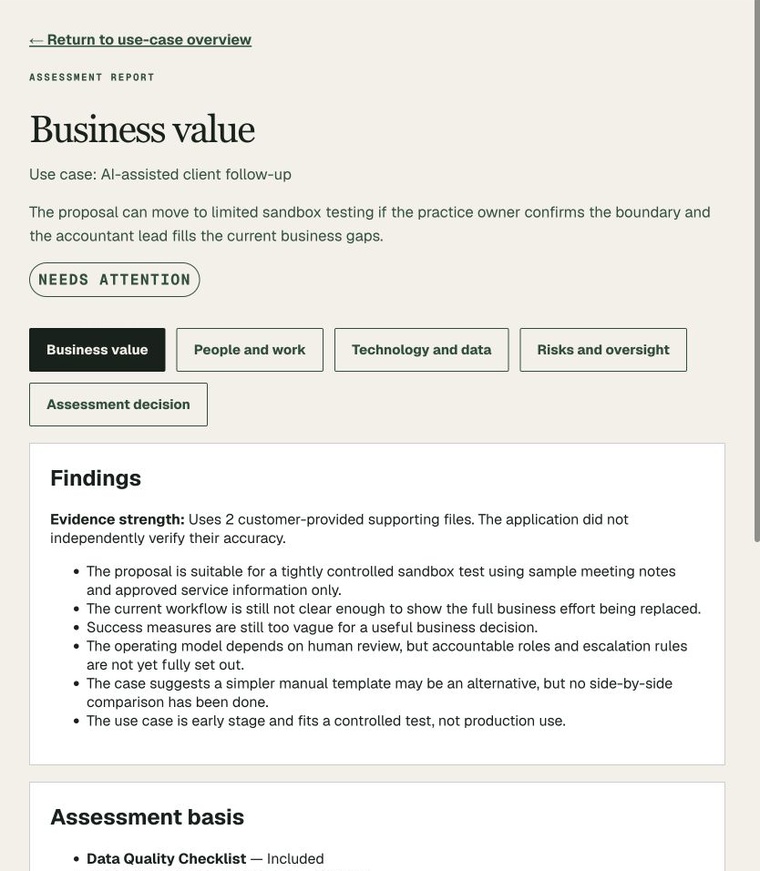
Select Business value. Look for the proposed benefit, assumptions, measures and missing baseline information. A plausible saving is not a measured saving.
For each important finding, note what supports it and what still needs checking.
Optional report illustration: this existing Harbour Lane screenshot shows Needs attention. Notice the finding about missing workflow and success measures. It is a saved result for an example business, not your organisation's result.
3. Read People and work
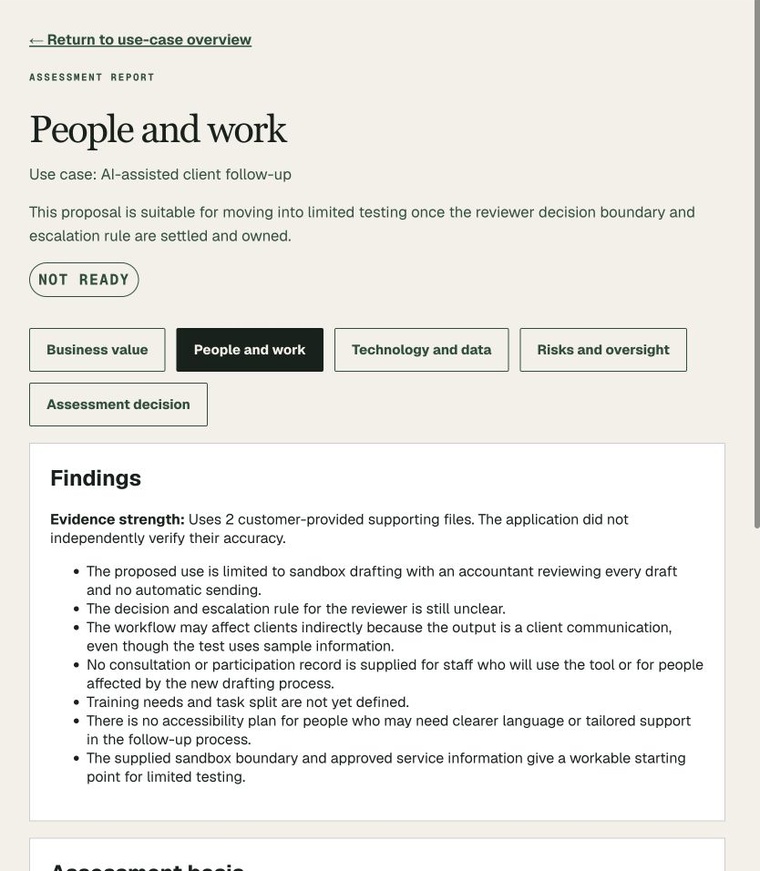
Select People and work. Look for affected people, training, accessibility, consultation and human checking. Naming a reviewer is different from demonstrating effective review.
Optional report illustration: this example shows Not ready. Its findings include unclear reviewer rules and missing training information.
4. Read Technology and data
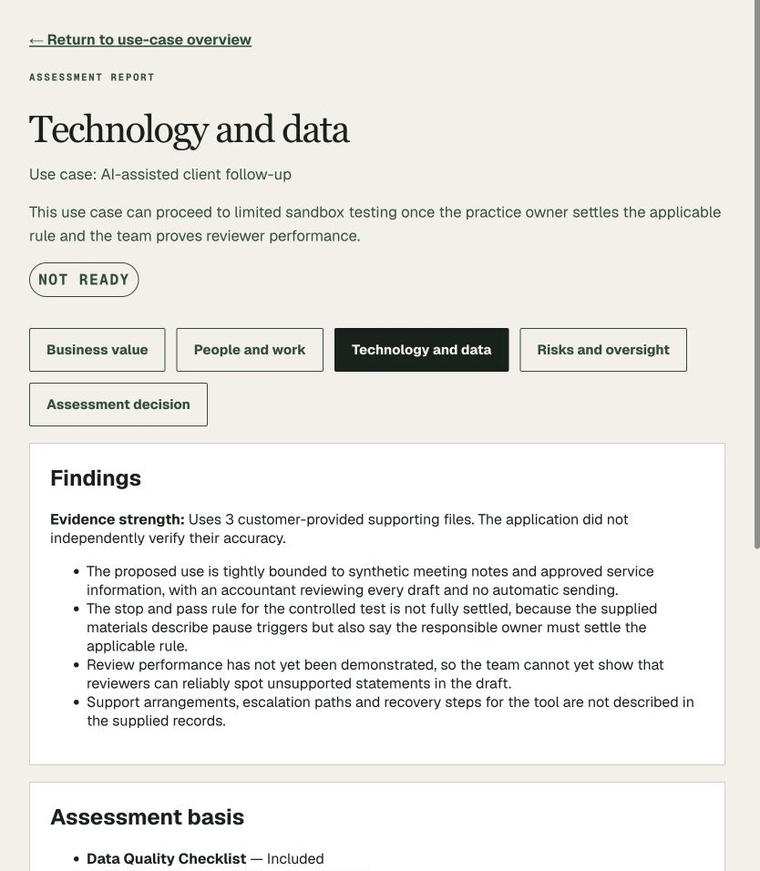
Select Technology and data. Look for information quality, configuration, supplier, support and testing gaps. A proposed technical boundary is not evidence that it works.
Optional report illustration: this example shows Not ready. It identifies unproved reviewer performance and unresolved operating rules.
5. Read Risks and oversight
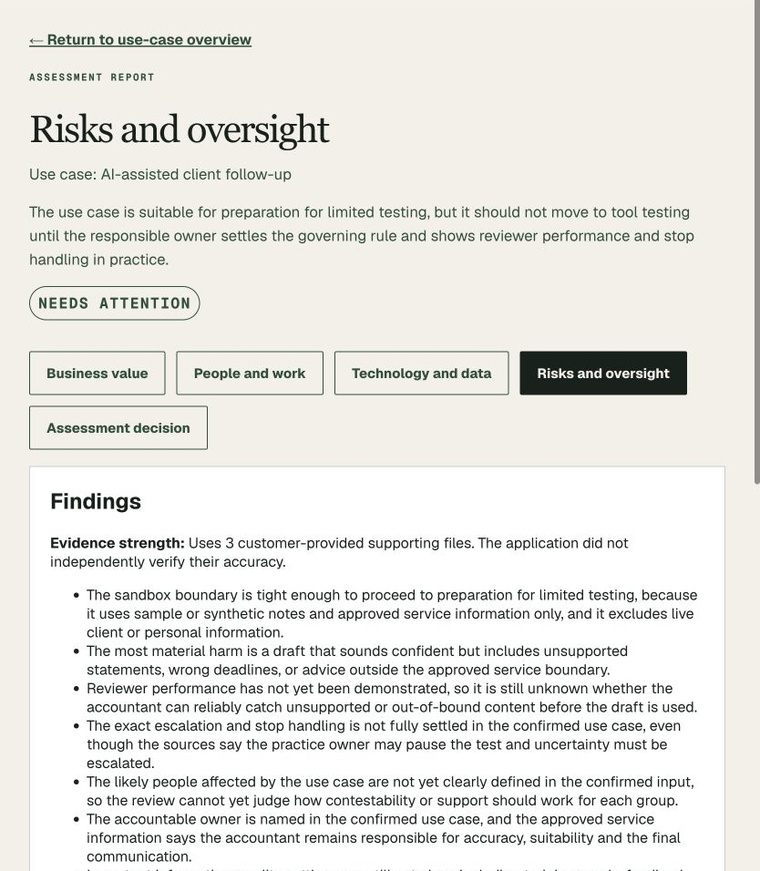
Select Risks and oversight. Identify possible harms, unresolved safeguards and required follow-up. Check who must act and what would demonstrate completion.
Optional report illustration: this example shows Needs attention. Its wording separates preparation from tool testing and identifies checking and stop-handling gaps.
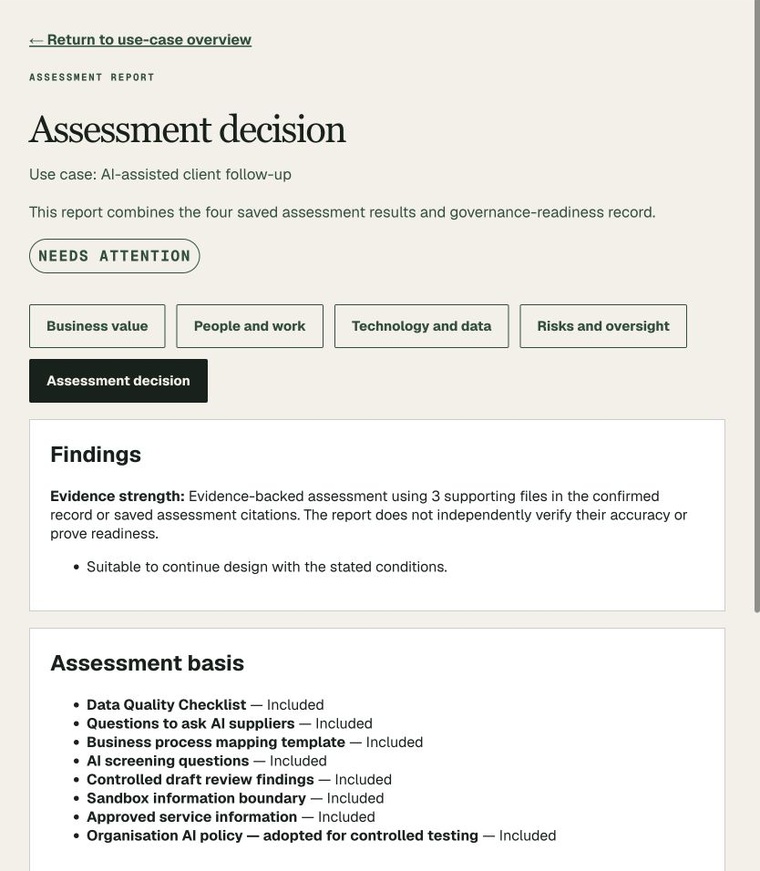
6. Read the combined recommendation
Select Assessment decision. Compare its recommendation with all four reports and their limitations. Do not assume the combined summary contains every finding.
Optional report illustration: this example shows Needs attention, despite different labels in the individual reports. The combined recommendation concerns further design with conditions; it is not a recorded human permission.
7. Check the basis and limitations
For each relevant finding, note the selected information, version where shown, limitation and proposed next action. Selected files and cited files are different; a reported support count does not replace checking the saved basis.
Read all saved report views when a summary is narrow or inconsistent. In this sample, the combined report repeats a narrow scope statement from an individual report. That does not mean the other reports are missing. The original wording remains unchanged.
Result to check: your notes connect the finding with its information and limits, rather than relying only on its label.
8. Identify the human next step
Identify what the responsible person needs to decide and what information is still required. Keep existing stop decisions and unmet conditions visible.
Do not treat an attractive benefit, score or readiness label as permission. Record the person's bounded decision through the organisation's supported decision process, covered in Lesson 16.
Result to check: you can explain the recommendation and the separate decision still required.
Practise
Paper activity — fictional information
This author-written illustration is not a generated report:
- Proposed benefit: shorter drafting time.
- Missing measurement: total checking and correction time.
- Finding: checking effectiveness is unproved.
- Recommendation: review the evidence before deciding whether to test.
Identify the benefit claim, two gaps and the human next step. The activity requires none of the report illustrations above.
Check your understanding
Can an attractive benefit or readiness score override an unresolved safeguard?
Check your answer
No. Shorter drafting time remains a proposed benefit. Total checking/correction time and checking effectiveness are unresolved.
The responsible person should review the evidence and record a bounded decision. The activity does not establish permission to test.
If you treated a score as approval, reread steps 6–8. If you called the benefit measured, reread step 2.
Check your work
You can:
- identify the four lenses and the combined report;
- connect a finding with supporting information, limits and a next action;
- keep the recommendation separate from human permission.
For workplace practice, retain interpretation notes and the required next decision. Reading a report does not alter its original findings or generate another report.
Continue learning
Optional worked examples
Sources
These National AI Centre resources inform the lesson. This course does not imply Australian Government endorsement.