
The situation
Different teams are discussing AI, but the organisation cannot see what exists, who owns it or what requires attention.
Lesson 2 of 12 · 5-minute lesson
Separate the AI system from the organisational use cases that depend on it.
For: AI leads and AI use case owners
This lesson uses National AI Centre guidance: AI systems register, AI register template, AI register template (spreadsheet).
The situation
Different teams are discussing AI, but the organisation cannot see what exists, who owns it or what requires attention.
The problem
A software name alone cannot explain the intended use, affected people, current stage or next governance action.
The choice
Maya registers the system once, adds a separate use case and assigns its accountable owner.
What you will learn
The pivotal moments
Moment 1
What the person does
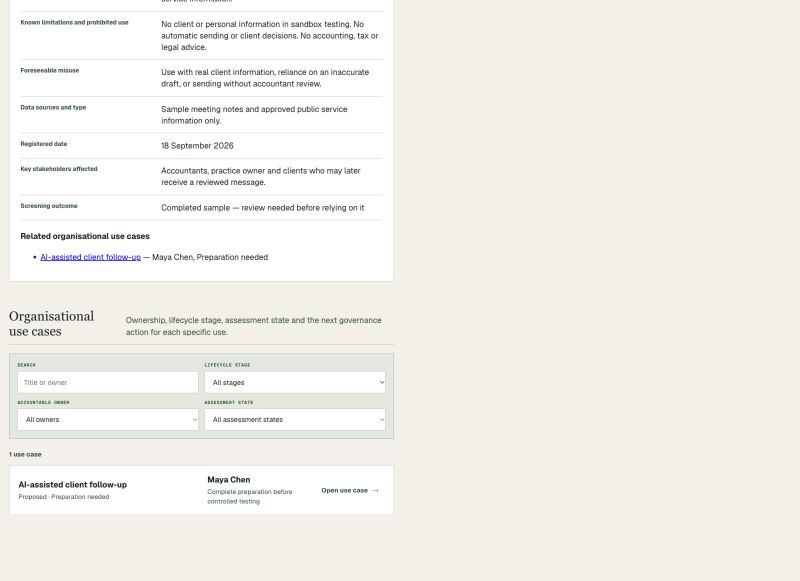
Maya records the drafting assistant once and connects the client follow-up use.
What the workspace records
System facts sit above a separately named organisational use case.
Notice
Another use of the same system would need its own boundary and record.
Why it matters
Shared system facts do not erase use-specific governance needs.
Moment 2
What the person does
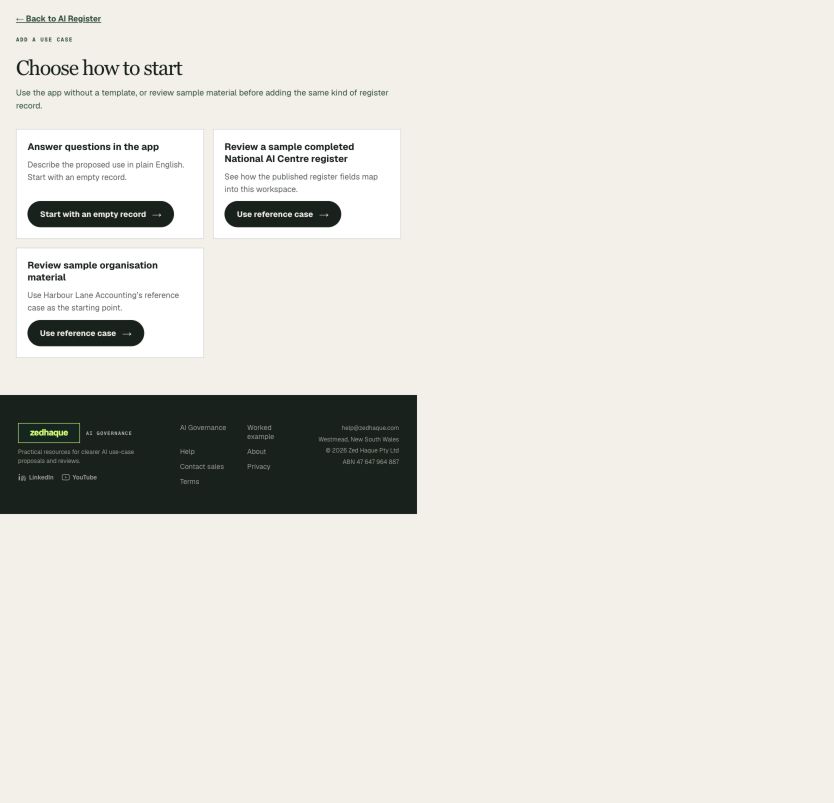
Maya starts in the app, from official reference material or from organisation material.
What the workspace records
Every path creates the same shared AI use case.
Notice
A template is optional.
Why it matters
Teams can work consistently without requiring a file upload.
Moment 3
What the person does
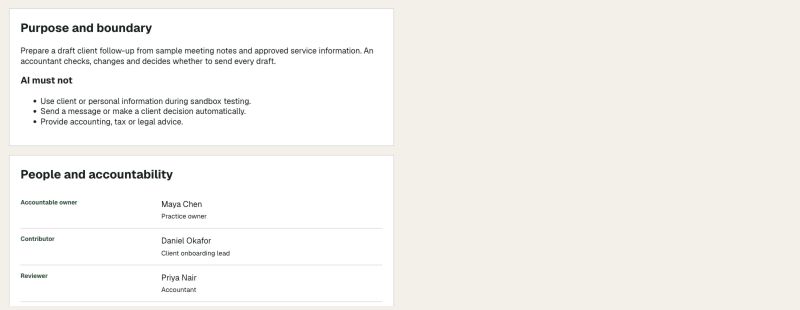
Maya reviews the purpose, limits, affected people, owner and current stage.
What the workspace records
The record shows preparation status and the next recommended action.
Notice
Preparation for testing is not approval for live use.
Why it matters
The register becomes an active workspace, not a passive inventory.
Official guidance used in this lesson
National AI Centre
Explains why organisations should keep an up-to-date record of AI systems and uses.
Last checked 30 September 2026
National AI Centre
Provides the published Word register fields.
Last checked 30 September 2026
National AI Centre
Provides the published spreadsheet format.
Last checked 30 September 2026
The complication
One system may support several use cases with different boundaries, people, risks and decisions.
The outcome
The portfolio holds one system record while each use case keeps its own governance history.
Check your understanding
The system record describes the technology. Each AI use case has its own purpose, limits, affected people, owner and governance work.
Key points
What happens next